


Cloud Storage Security Basics
Cloud storage has become a fundamental part of modern digital life. From personal photos and documents to business records and collaborative projects, vast amounts of data now reside on remote servers rather than local devices.
While cloud platforms offer convenience, accessibility, and scalability, they also introduce new security responsibilities. Data stored in the cloud is no longer protected by physical control alone, making proper security practices essential.
Understanding cloud storage security basics empowers users to protect sensitive files, prevent unauthorized access, and maintain control over their digital information.
How Cloud Storage Works Behind the Scenes
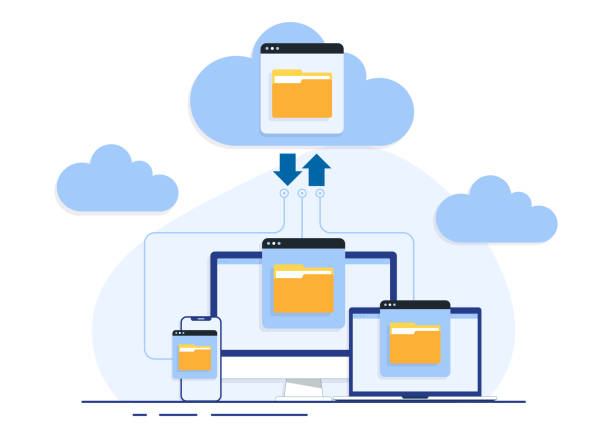
Cloud storage providers store data across distributed data centers, often replicating files to ensure availability and reliability. Users access their data through web interfaces, desktop applications, or mobile apps.
This architecture removes the burden of hardware maintenance from users, but it also means that data travels across networks and resides on systems managed by third parties.
Security therefore becomes a shared responsibility between the provider and the user, requiring awareness of both platform protections and individual configuration choices.
The Shared Responsibility Model
One of the most misunderstood aspects of cloud security is the shared responsibility model. While cloud providers secure the underlying infrastructure, users are responsible for securing their data, access controls, and configurations.
Providers protect physical data centers, network hardware, and core services, but they do not control how users manage passwords, permissions, or file-sharing settings.
Misconfigured access permissions remain one of the leading causes of cloud data exposure, highlighting the importance of user-side security practices.
Encryption: Protecting Data at Rest and in Transit
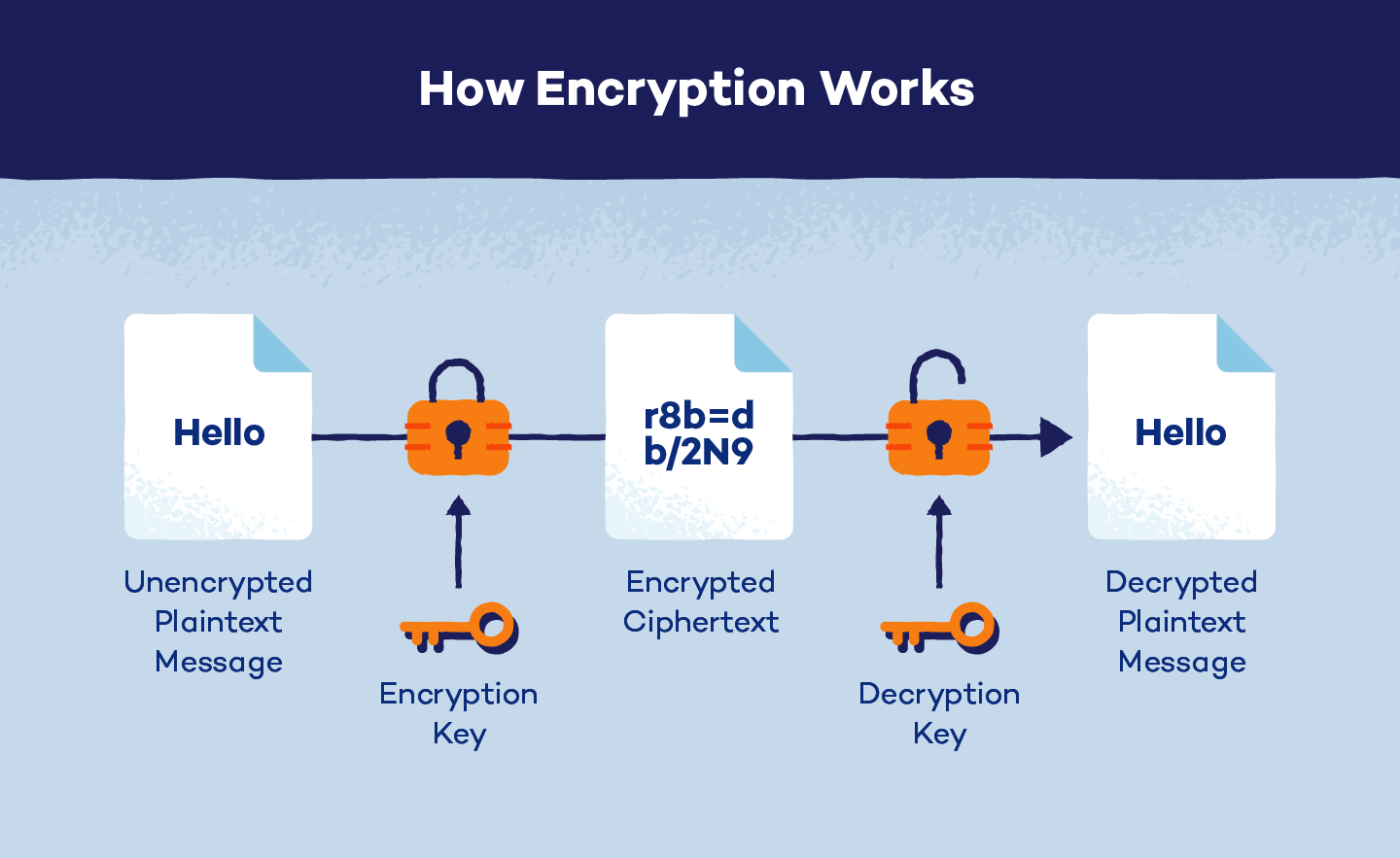
Encryption is a foundational component of cloud storage security. It ensures that data remains unreadable to unauthorized parties, even if it is intercepted or accessed improperly.
Data encryption occurs in two key states: at rest and in transit. Encryption at rest protects files stored on servers, while encryption in transit secures data as it moves between devices and cloud platforms.
Reputable cloud providers implement strong encryption by default, but users should also understand whether they control encryption keys or rely solely on provider-managed security.
Account Security and Authentication
Access to cloud storage is typically controlled through user accounts, making account security a critical defense layer. Weak passwords or reused credentials significantly increase the risk of unauthorized access.
Multi-factor authentication adds an additional verification step, requiring users to confirm their identity through a secondary method such as a mobile device or biometric prompt.
Even if login credentials are compromised, strong authentication measures can prevent attackers from accessing stored data.
Secure File Sharing and Permission Management
Cloud platforms make file sharing easy, but convenience can lead to oversharing if permissions are not carefully managed. Public links or unrestricted access settings can unintentionally expose sensitive data.
Users should assign the minimum required permissions, granting view-only access when editing is unnecessary and limiting sharing to specific individuals whenever possible.
Regularly reviewing shared files helps identify outdated links and permissions that no longer serve a legitimate purpose.

Data Backup and Recovery Considerations
While cloud storage improves availability, it should not be treated as a sole backup solution. Accidental deletions, ransomware attacks, or account compromise can still result in data loss.
Maintaining independent backups ensures data can be restored even if cloud access is disrupted. Version history and recovery features should be enabled whenever available.
A layered backup strategy strengthens resilience against both technical failures and security incidents.
Recognizing Cloud-Based Security Threats
Cloud storage is frequently targeted through phishing, credential theft, and malicious third-party applications. Attackers often aim to gain account access rather than exploit the platform itself.
Fake sharing notifications or login alerts are commonly used to trick users into revealing credentials. Once inside, attackers can download, modify, or delete stored files.
Awareness of these attack patterns helps users recognize suspicious activity before damage occurs.
Best Practices for Everyday Cloud Security
Strong cloud security is built through consistent habits rather than complex tools. Using unique passwords, enabling multi-factor authentication, and reviewing access permissions regularly form a strong baseline.
Keeping devices updated and avoiding untrusted third-party integrations further reduces risk. Security is most effective when integrated into daily routines.
Small, deliberate actions taken consistently offer significant long-term protection.
Conclusion
Cloud storage offers powerful advantages, but its security depends heavily on informed usage. Understanding how data is stored, accessed, and shared is essential for maintaining control over sensitive information.
By applying encryption awareness, strong authentication, and careful permission management, users can safely benefit from cloud technology while minimizing exposure to security threats.


Leave a Reply